


MyClevelandClinic®
4.3283.00 Reviews
App Specs
- Version
- 11.8.3
- Updated On
- License
- Free
- Downloads
- 100,000+
- Developer
- Cleveland Clinic
- Categories
- Medical
- Platform
- Android
Screenshots
 Analysis by AppCompare
Managing healthcare is rarely difficult because of one dramatic task. The friction usually comes from small details: finding a test result, checking an appointment time, remembering what a clinician said, or knowing where to look before calling the office. MyClevelandClinic® is built around that everyday problem. It is a free medical app from Cleveland Clinic that connects patients with portions of their medical record, and in my experience its value comes from putting familiar patient information in one place rather than trying to replace a conversation with a healthcare professional.
My overall view is positive, but specific. This is most useful for people who already receive care through Cleveland Clinic and want a more convenient way to stay oriented between visits. It is less compelling for someone who wants a broad wellness tracker, a general symptom checker, or a universal health-record tool that brings together unrelated providers. The app’s strength is its connection to the Cleveland Clinic patient experience, not an attempt to cover every kind of health need.
What using MyClevelandClinic feels like in everyday care
The first thing I noticed about this kind of patient app is that its usefulness depends on timing. When I am healthy and have no upcoming care, I may not open it often. Around an appointment, however, the value changes quickly. A patient portal can become the place I check before leaving home, after a consultation, or while trying to recall what happened during a previous visit. That makes the app practical in a quiet, unglamorous way.
MyClevelandClinic® is categorized as a medical app, and Cleveland Clinic is the developer. Its central role is access: it gives patients a digital route to parts of their medical record instead of making every administrative question depend on a phone call or a paper document. That distinction matters. I would not treat it as a diagnostic authority, and I would not use it to decide whether a serious symptom needs urgent attention. I see it as a companion to care that helps me handle information and logistics more efficiently.
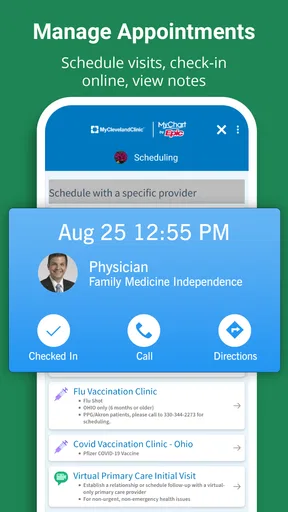
A realistic example is a follow-up appointment after a test. I might open the app beforehand to review the details already available to me, then use it afterward to revisit the information when the conversation is no longer fresh. That second look is particularly helpful when a visit included unfamiliar medical terms or several next steps. Rather than relying entirely on memory, I can use the patient record as a reference point and prepare a more focused question for the next interaction.
That workflow reveals one of the app’s less obvious benefits: it can improve the quality of a conversation without pretending to be the conversation itself. I find that useful because medical visits often move quickly. Having a record to revisit can help me separate what I know from what I still need to ask. It also reduces the temptation to search the wider internet for an answer before checking the information connected to my own care.
Where the patient-record connection earns its place
The strongest case for installing the app is continuity. When appointments, results, and other pieces of care are scattered across calls, printed instructions, email messages, and memory, even a straightforward treatment plan can feel harder to follow. A patient-facing record gives me a more stable starting point. I can return to the same place instead of reconstructing the timeline from fragments.
Worth Reading Before You Choose

EA SPORTS FC Mobile 26 Is a Bigger Football Game, but It Takes Time

Flipboard Shows What News Apps Must Do Beyond the Feed

Switching to Android Auto Means Rethinking Your Driving Routine

Google Calendar Makes a Crowded Week Easier to Manage

Ludo King Makes the Most of the Minutes Between Plans

Baby Panda World Brings Quick Play to Modern Phones, but Its Game Library Feels Busy
This is especially useful for people who manage recurring care, support an older family member, or have several appointments close together. In those situations, the challenge is not always medical complexity; it is remembering which information belongs to which visit. A dedicated Cleveland Clinic portal can make that process less tiring, provided the patient’s care is actually connected to the organization.
I also appreciate the psychological benefit of having information available without turning every uncertainty into an emergency call. If I want to confirm something already documented, a digital record can be more convenient than waiting for office hours. That does not mean every concern should be handled inside the app. It means the app can take care of the simple retrieval tasks so that direct contact with a clinician is reserved for questions that truly need professional attention.
Another practical insight is to use the app as a preparation tool, not only as an archive. Before an appointment, I would make a short list of changes, questions, and details I want to mention. Then I would review the relevant record so my questions are tied to the right visit or result. Afterward, I would check the record again and note what still feels unclear. This three-stage habit—prepare, participate, review—makes a portal more valuable than opening it only when something goes wrong.
The app has also attracted a meaningful user base. It has passed one hundred thousand installs, carries an average rating of 4.3 from around eight hundred ratings, and includes roughly three hundred written reviews. Those figures do not prove that every patient will have a smooth experience, but they do suggest that the app is established enough to be part of many people’s healthcare routines rather than an obscure experiment.
Useful for organization, not a substitute for medical judgment
I think the most important boundary is knowing what this app is not. A patient record can show information connected with care, but it does not independently interpret every result or create a complete medical opinion. If I see something confusing, I would use the record to frame a question for the appropriate healthcare team rather than drawing a conclusion from a single entry.
That distinction is easy to forget because digital interfaces make information look tidy. A list of results can feel definitive even when context matters. Dates, symptoms, medications, history, and the clinician’s assessment may all affect what a result means. MyClevelandClinic is therefore best used as an organized reference, not as a replacement for professional explanation.
It is also not the right tool for urgent situations. If a person has a severe or rapidly worsening symptom, waiting for an app workflow is the wrong priority. The app can support routine communication and record access, but it should not become a barrier between someone and immediate medical help. I would keep that rule simple: use the portal for information and coordination, and use appropriate urgent services when the situation demands them.
The friction points I would want new users to understand
The biggest limitation is built into the app’s purpose. Its usefulness is closely tied to Cleveland Clinic care. If most of my appointments, prescriptions, tests, and specialist visits happen elsewhere, the app cannot become a complete picture of my health simply because I installed it. A general health-record organizer or the separate portals used by other providers may be more practical for someone whose care is spread across several systems.
There is also a difference between having access to a record and having every answer immediately available. Medical information may appear in stages, and some questions still require a clinician or office staff member. I would avoid assuming that anything I expect to see must be missing because of an app problem. Sometimes the correct next step is to contact the care team and ask how that information is handled.
That is a meaningful trade-off: the app reduces some administrative friction, but it does not eliminate healthcare administration. I may still need to make a call, clarify an instruction, or wait for a response. The benefit is that I can approach that interaction with more context and fewer basic questions.
Another point is that a patient portal is not automatically a good fit for every person’s digital habits. Someone who dislikes managing accounts, prefers paper instructions, or rarely needs to review medical information may not gain much from another app. On the other hand, a family member helping coordinate care may find the digital access worthwhile, as long as they use it appropriately and respect the patient’s privacy and control over personal information.
The current version is 11.8.3, and the app requires at least iOS 11. That makes device compatibility worth checking before installation, particularly if I am using an older iPhone. The age rating is Everyone, which fits the app’s general purpose, although an all-ages label should not be confused with a promise that every medical topic will be easy for every reader to understand.
Small habits that make the app more useful
I would begin by installing it before an appointment rather than during a stressful medical situation. That gives me time to sign in, become familiar with the layout, and understand where the relevant record information appears. The first use is a poor moment to discover that I need to reset access details or learn a new navigation pattern while waiting for care.
I would also avoid opening the app with a vague goal such as “check my health.” A better approach is to choose a task: review information from a recent visit, prepare questions for an upcoming appointment, or confirm what I already know about a care plan. Specific tasks make patient portals feel less overwhelming and help me notice whether the app is genuinely saving time.
For recurring care, I would keep a simple personal timeline outside the app as well. That does not mean copying every medical detail. It could be a short note with appointment dates, the reason for each visit, and questions to raise next time. The app provides access to the record; my own short list provides context about what I want from the next conversation. Together, those tools are more useful than either one alone.
A further trade-off appears when information is shared between several people. A patient may want a trusted relative to help remember appointments or questions, but convenience should not lead to casually sharing account access. I would use the app in a way that keeps control of medical information with the patient and would ask the healthcare organization about the proper method for authorized assistance when needed.
Who should choose it, and who should look elsewhere
I would recommend MyClevelandClinic to Cleveland Clinic patients who want a straightforward digital connection to their care information. It is particularly well suited to people who regularly attend appointments, have follow-up testing, or simply want to review details after a visit instead of relying on memory. It can also help organized caregivers support someone’s healthcare routine, provided the arrangement is handled with the patient’s permission and appropriate privacy.
I would be more cautious for a person whose main goal is fitness, nutrition, sleep tracking, medication reminders, or symptom exploration. Those needs belong to different kinds of apps, and a patient portal should not be judged harshly for not being a full wellness platform. Likewise, people who receive care from many unrelated organizations may prefer a tool designed to consolidate information across providers, even if that means giving up the direct connection of a single health system’s portal.
Compared with calling a clinic for every administrative question, the app is more convenient because it lets me begin with information already connected to my care. Compared with keeping paper folders, it is easier to revisit when I am away from home, although paper can still be useful during visits or when helping someone who is not comfortable with digital tools. Compared with a general-purpose health app, it offers more relevance to Cleveland Clinic care but less breadth for tracking life outside that system.
That comparison leads to my clearest recommendation: choose it for access and continuity, not for entertainment or broad self-monitoring. Its success depends on whether Cleveland Clinic is central to your healthcare. If it is, the focused design is an advantage. If it is not, the same focus becomes the reason to choose something else.
My final assessment
MyClevelandClinic is a practical medical app with a clear job: help patients reach portions of their Cleveland Clinic medical record and stay better organized around care. I like that its value is grounded in real routines—preparing for appointments, reviewing information afterward, and reducing unnecessary administrative calls. The app does not need to be a complete health-management universe to be useful.
Its limitations are equally clear. It is not a diagnostic service, not an emergency channel, and not an ideal all-in-one record for people whose healthcare is divided among many organizations. Some users will still need direct help from clinicians or office staff, and people with older devices should pay attention to the iOS requirement.
For the right patient, though, those limitations do not cancel out the main benefit. I would install it if Cleveland Clinic is part of my regular care and I want a dependable place to review information between visits. It is free, rated for Everyone, and developed by Cleveland Clinic, so the decision is less about cost and more about fit. My verdict is that it is worth using when the healthcare connection matches your needs—and easy to skip when what you really want is a general wellness app or a record system spanning several providers.
Pros
- Secure access to appointments
- test results
- and medical records.
- Easy prescription refill requests and medication tracking.
- Direct messaging helps you contact your care team conveniently.
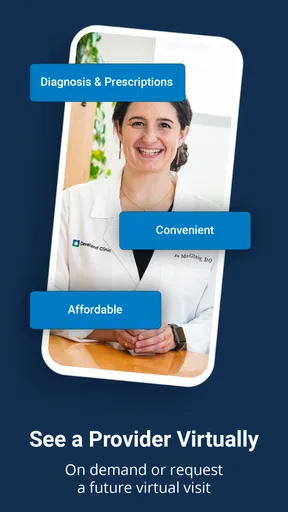
- Supports virtual visits for eligible Cleveland Clinic patients.
- Health information is organized in one central mobile app.
Cons
- Many features require an active Cleveland Clinic patient account.
- Some services may be unavailable depending on your location or provider.
- Appointment availability can vary and may not update instantly.
- The app may request sensitive permissions and personal health data.
- Occasional login or loading issues can interrupt access to records.
FAQs for MyClevelandClinic®
What is MyClevelandClinic® and what can I use it for?
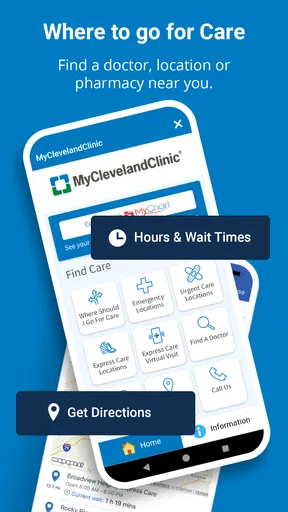
MyClevelandClinic® is Cleveland Clinic’s official mobile app and patient portal for managing healthcare in one place. After signing in, patients can review parts of their medical record, schedule or request appointments, see test results, manage prescriptions, communicate with care teams, check bills, and access virtual care options when available. The exact tools may depend on your location, provider, and relationship with Cleveland Clinic.
Do I need to be a Cleveland Clinic patient to use MyClevelandClinic®?
The app is primarily designed for current Cleveland Clinic patients and people who have an active Cleveland Clinic patient portal account. You generally need to create or activate an account and verify your identity before accessing personal health information. Some public features may be available without signing in, but appointment management, records, messaging, and other private services require an eligible patient account.
How do I sign in or create an account in MyClevelandClinic®?
You can typically sign in with your Cleveland Clinic patient portal credentials. New users may be able to create an account through the app or the Cleveland Clinic website using information requested for identity verification, such as personal details or an activation code. If you cannot verify your identity, forgot your password, or have trouble accessing your account, use the recovery options or contact Cleveland Clinic support.
Can I schedule appointments, message doctors, and view test results in the app?
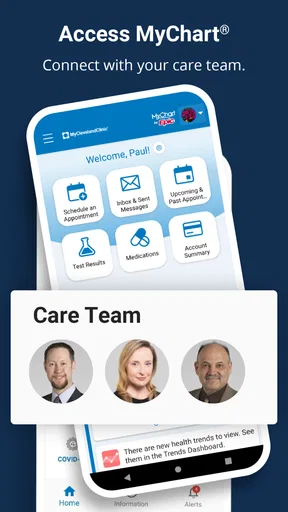
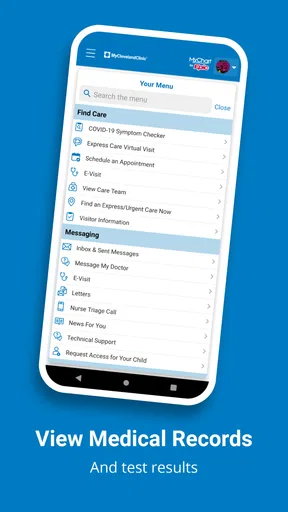
MyClevelandClinic® brings together several common patient-portal functions, including appointment requests or scheduling, secure messages with participating care teams, medication information, visit details, and laboratory or imaging results when they have been released. Availability can vary by department, provider, test type, and local Cleveland Clinic service. The app should not replace emergency care or urgent medical advice.
Is MyClevelandClinic® secure, and what should I do if my phone is lost?
The app is intended to protect access to your health information through account authentication and other security measures supported by your device and Cleveland Clinic’s systems. For better protection, use a strong password, enable a device screen lock, keep the app updated, and avoid signing in on shared devices. If your phone is lost or stolen, change your portal password promptly and contact Cleveland Clinic if you suspect unauthorized access.


